 Cathartic Tester beta · ChatGPT / Codex
A little world.
Right beside your chat.
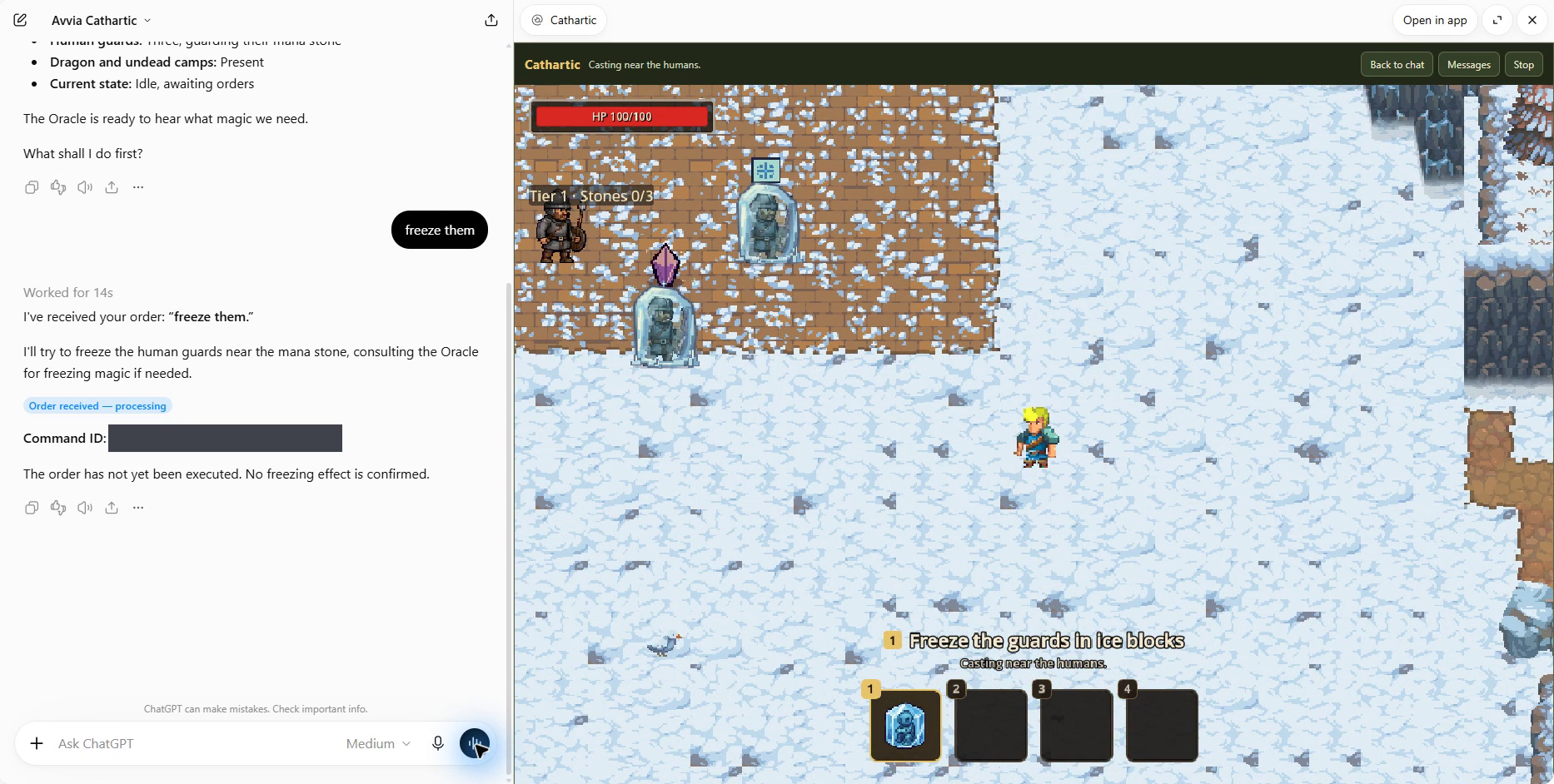
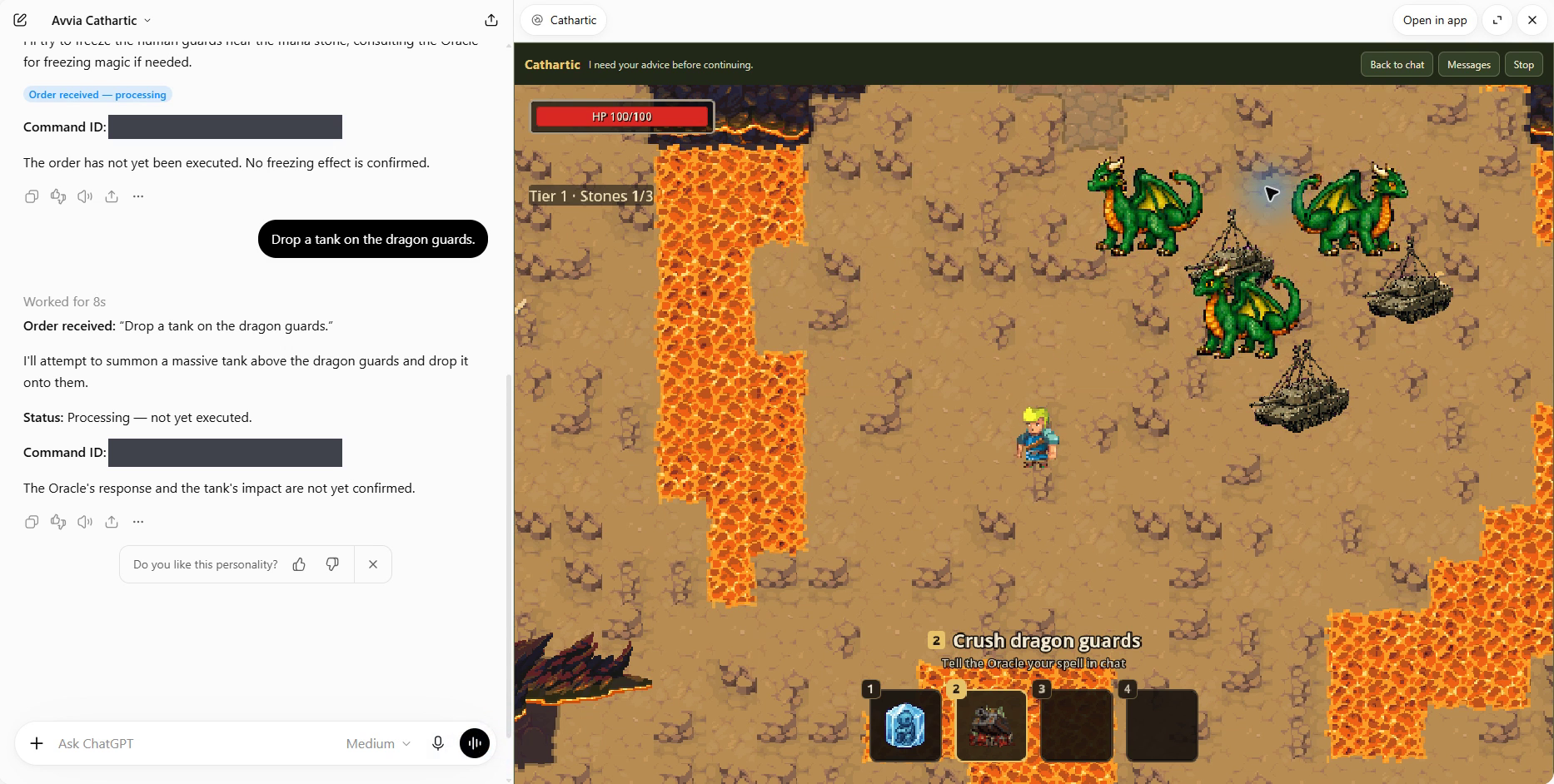
Tell your mage what to do. Ask for a spell in your own words, then watch it happen in a living graphical world.
Connect in ChatGPT
- Open ChatGPT Plugins ↗, then choose + → Add custom MCP server. Name it Cathartic.
- Paste this server URL, choose OAuth and select Create as a plugin. Leave optional client ID and client secret fields empty.
https://thousandmonkeystypewriter.org/cathartic_chatgpt/mcp - Finish Install / Connect, then choose Connect my world. No invite code needed.
- Start a new chat, select @Cathartic and say “Play Cathartic.”
No invite code needed; access to custom MCP servers is required. Setup help ↗
Already connected? Open ChatGPT ↗ and choose @Cathartic.
Codex desktop
Windows
Run in Codex · Windows Update in Codex · WindowsmacOS
Run in Codex · macOSPython 3.10+ required
Linux
Run in Codex · LinuxPython 3.10+ required · desktop app preview
Choose your platform. Codex opens a setup message; press Send, then follow Start playing into a fresh chat. Requires the desktop app with plugin and browser access. macOS/Linux packages are ready for testing; native gameplay is not yet verified.
See it in play
Actual gameplay in ChatGPT. Select an image to see it full size.
Manual installation and requirements
If Cathartic is installed, the Run button starts your world. If not, Codex helps install the matching package. Review the installation, then use Start playing and press Send in that new chat. A connection error is reported without repeating installation.
Windows
First installation can use this catalogue if the Codex CLI is available:
codex plugin marketplace add https://thousandmonkeystypewriter.org/cathartic_agent/catalogue.git
codex plugin add cathartic-workspace@cathartic-testers
To update on Windows, close your game panel, click Update in Codex · Windows and press Send. The first update installs the updater connector once; follow Continue update into a fresh chat. Later updates use its native tools. After success, follow Start playing.
The Windows launcher uses Codex’s bundled Python runtime when available; otherwise Python 3.10+ is required.
macOS and Linux
The matching Run button uses that platform’s ZIP. For manual setup, download and extract the whole package, including the hidden .agents directory, into a folder you will keep. Python 3.10+ is required. From the extracted directory run:
sh OPEN_IN_CODEX.shReview and install the local plugin, then start a fresh chat. macOS also includes OPEN_IN_CODEX.command. The CLI alone has no built-in game browser. Linux desktop support is in preview.
For updates on macOS/Linux, download and reinstall the matching package. The public Windows catalogue and Windows updater are separate.
Already installed? Start playing in a new chat. If the plugin cannot connect, check that it is enabled and review the reported error before retrying.